
Description
A complete Wedding RSVP system. Manage guest lists, menus, and invites via Email & SMS.
== Description ==
The **Wedding Party RSVP** plugin is an all-in-one solution for managing wedding guests, RSVPs, menu selections, and invitations directly from your WordPress dashboard.
Designed for weddings of all sizes, it allows you to group guests into “Parties” (families/couples), giving them a single login to RSVP for everyone in their group.
**Free Version Features:**
* **Guest Management:** Add, edit, and group guests by Party ID.
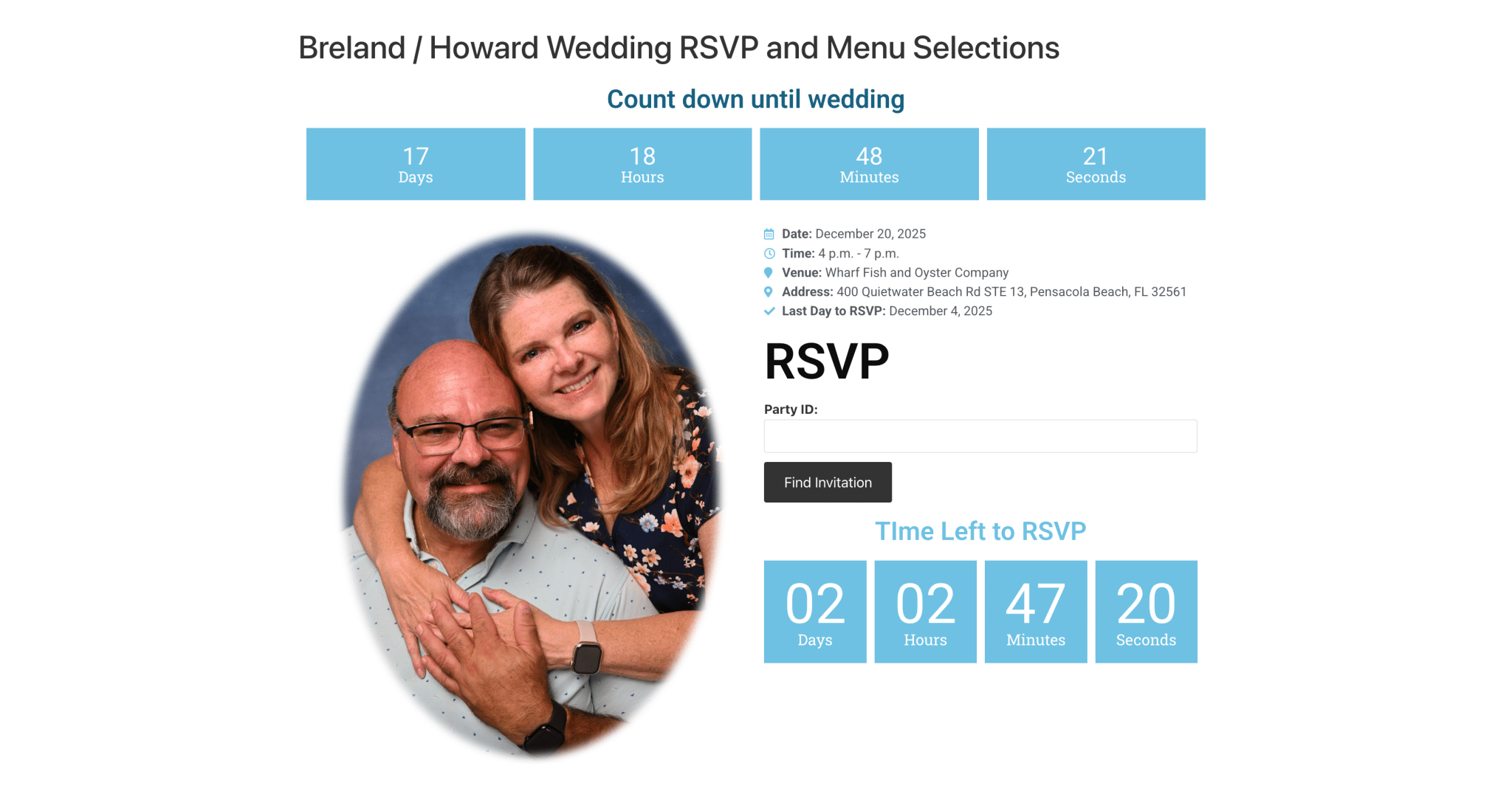
* **Frontend RSVP Form:** Beautiful, responsive form for guests to confirm attendance, choose meals, and note dietary restrictions.
* **Menu Management:** Customize options for Adult Entrées, Child Meals, Appetizers, and Hors d’oeuvres.
* **Email Invitations:** Send HTML email invites directly from the dashboard.
* **Data Export:** Export your entire guest list and RSVP status to CSV.
* **Limit:** Free version is strictly limited to **20 Guests**.
**Premium Features (Unlock with License Key):**
* **Unlimited Guests:** Remove the 20-guest cap.
* **Twilio SMS Integration:** Send RSVP invites via text message (requires Twilio account).
* **Priority Support:** Direct support from Land Tech Web Designs.
== Installation ==
Deactivate the Free Version and upload the new version to your wordpress installation and activate it.
1. Upload the `wedding-party-rsvp-pro` folder to the `/wp-content/plugins/` directory.
2. Activate the plugin through the ‘Plugins’ menu in WordPress.
3. A new menu item **Wedding RSVP** will appear in your admin dashboard.
4. Create a WordPress page (e.g., “RSVP”) and add the shortcode: `
5. Go to **Wedding RSVP > Settings** and paste the URL of that page into the “RSVP Page URL” field.
== How to Purchase & Activate License ==
To unlock unlimited guests, you must purchase a license key from Land Tech Web Designs.
1. **Purchase License:**
* Visit the official page: [https://landtechwebdesigns.com/wedding-party-rsvp-wordpress-plugin/](https://landtechwebdesigns.com/wedding-party-rsvp-wordpress-plugin/)
* Select the Premium plan and complete the checkout process.
* You will receive a License Key via email immediately after purchase.
2. **Activate in Plugin:**
* Log in to your WordPress Dashboard.
* Go to **Wedding RSVP > Settings**.
* Locate the **License / Activation** section at the top.
* Paste your key into the **License Key** field.
* Click **Save Settings**.
* The status indicator should change from “Free Version” to **”Premium Active”**.
== Usage Instructions ==
**Step 1: Setup Menu Options**
Go to **Wedding RSVP > Menu Options**. Enter your meal choices (e.g., “Steak”, “Salmon”, “Vegan”) and save.
**Step 2: Add Guests**
Go to the **Wedding RSVP** main dashboard.
* **Manual Add:** Use the “Add” bar at the top. Enter a “Party ID” (e.g., `SmithFamily`) and the Guest Name. Repeat the *same* Party ID for other members of that family.
* **CSV Import:** Create a CSV file with columns: `Party ID`, `Guest Name`, `Email`, `Phone`, `Is Child (1 or 0)`. Upload using the import tool.
**Step 3: Send Invites**
* **Email:** Go to **Email Invites**. Customize your subject and body using tags like `{rsvp_link}` and `{party_id}`. Click “Send Batch” to email everyone with an email address on file.
* **SMS (Premium):** Go to **SMS Invites**. Enter your Twilio SID, Token, and Phone Number. Customize the SMS message and send.
**Step 4: Tracking**
Watch the Dashboard stats counter updating in real-time as guests submit their RSVPs on your website.
== Frequently Asked Questions ==
= The plugin says “Limit Reached” but I only have 20 guests. =
The free version includes a strict limit of 20 guests total in the database. To add more, you must upgrade to the Premium version by entering a valid license key in the Settings tab.
= How do guests log in? =
Guests visit the page where you placed the `
= Where do I get my Twilio keys? =
You must sign up for a separate account at [Twilio.com](https://www.twilio.com). Once signed up, you can find your Account SID, Auth Token, and Phone Number in the Twilio Console.
= I purchased a key but it says “Invalid”. =
1. Ensure you have copied the key exactly, with no leading/trailing spaces.
2. Ensure your server can make outgoing requests to `landtechwebdesigns.com` (firewalls may block API checks).
3. Click “Save Settings” again to force a re-check.
== Screenshots ==
1. **Dashboard:** Overview of accepted/declined counts and guest management.
2. **Frontend Form:** What your guests see when they RSVP.
3. **Settings:** License activation and general configuration.
== Changelog ==
= 8.7 =
* **Security Fix:** Enhanced Nonce verification on all form submissions (Frontend RSVP, Admin Settings, Email, and SMS) to comply with WordPress security standards.
* **Fix:** Resolved issue where Child Menu selection was not saving correctly in backend edits.
* **Improvement:** Strict type sanitization for CSV imports.
= 8.6 =
* Added API license validation.
* Added Twilio SMS integration.
= 1.0 =
* Initial Release.
